…I have a question: Got video?

Let’s get something on the schedule this year!
~TRW
…I have a question: Got video?
Let’s get something on the schedule this year!
~TRW
2014 was a great year for First Impressions Video and I want to extend my heartfelt thanks to the clients that are also my friends. I value you and welcome the opportunity to serve in 2015.
Got video? Need video?
Warmest regards,
Terry
Producing good video is an exercise in mastering lots of “unknowns.” In my experience, the best way to tame the unknowns is to plan the project. And yes, if your budget is tight, this may be tough, but it’s still do-able. First, a “truth:” if you’re only going to spend $500 on a project that you know should cost $5,000, you should be prepared for an outcome that may disappoint. That said, there are things that can be done to conserve budget while keeping production values strong.
First determine your needs…your real needs! If you only have a thousand bucks to create that “Scorsese-looking” promo, and certainly before someone starts yelling “action,” make time for pre-production planning. Understand the plan, and then stick to it. Nothing will unravel a budget like indecision, which includes making lots of changes after production starts. That doesn’t mean being inflexible, but if the original commitment (and contract) was for a day of on-site production, stretching into another day on location should rightly require additional investment.
In my years in sales, marketing and advertising (before launching my video business) I probably heard the axiom “failure to plan is planning to fail” thousands of times. News flash: it’s still true! So there should be a reasonable amount of pre-production planning to determine equipment requirements, shooting location(s), shot list(s), participants (talent), and any other graphics, images and audio not captured during the shoot. The tighter the budget, the more precise the planning should be. Here’s another “truth:” I suck at storyboarding! My artistic talents are evident when looking through a viewfinder or out over a scene, but freehand art was something my dad passed on to my brother! Nevertheless, I can still map out a scene and stick figures will work! Armed with a map and a shot list, it’s almost—dare I say it—easy to work through the production and keep to the budget. Winging it will kill any project…no pro worth his or her salt would attempt it!
But here’s the good news: With a carefully laid out plan, you will know where there may be opportunities to experiment, flex a bit and have some fun! The finished product will reflect the effort of good planning and you will get the results you wanted for the money you spent.
Got video?
Videology posted a cool looking infographic about the incredible innovation in television development. Television and video share this evolution!

Attribution: Videology, eMarketer, Nielsen
I love saying it, too! Earlier in the year, I did a half day workshop for Jeff Blanton, a nationally known public speaker and business management consultant. As one might imagine, Jeff is very busy but today, he took a moment to jot down a few comments that he put on Thumbtack, a new lead-generation website I recently subscribed to:
“Terry provided the video support for a half day event. As one of the speakers and event coordinators I would like to share what a great job he did. During the event everything was very professional and final results were excellent. I am still using cuts from that event on my website.”
Thank you, Jeff, for your kind comments!
Got video?
Here is another of those really cool infographics that affirm the importance of video for your business. Got video?

Attribution: Content Marketing Institute & Eloqua
When you run a small business, you wear a LOT of hats! One of the things that must be done in contemporary business is to ensure that your business can be found when people are searching online for the product or service you offer. So imagine my elation to discover this today, when doing a search for “video production”
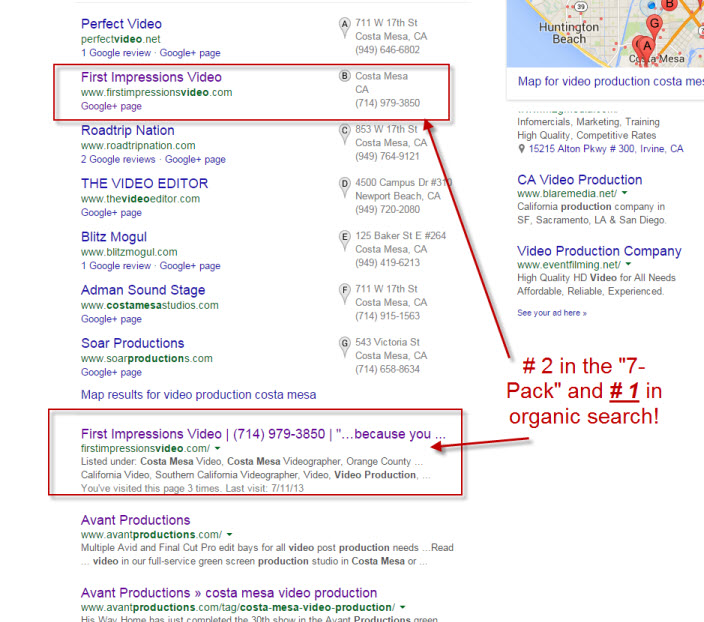
Search engine optimization (SEO) is an ongoing activity and many business owners use outside agencies to help get these kinds of results. I am fortunate to have spent the last decade in digital marketing before launching First Impressions Video. SEO is also very fluid and tomorrow my rankings can change–good or bad. But after working at this for quite a while, it’s nice to see Google “smiling at my website” today! Full disclosure: there were three listings that preceded First Impressions Video in the search results, but one was a generic Yelp listing with no specific company cited; the second was for Costa Mesa Television, which is not a video production business and the third was a directory page of the “top 15 video production services in Costa Mesa.” None of those was a stand-alone business.
Got video?
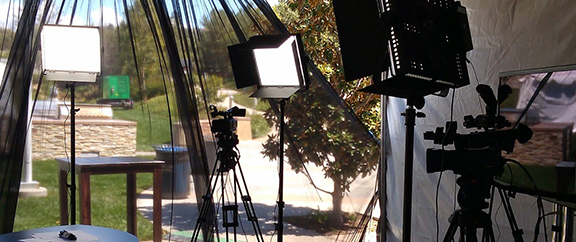
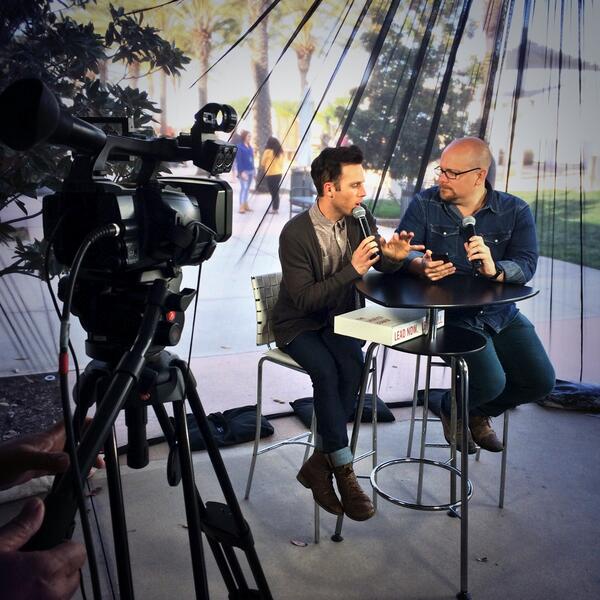
For those who have never been on location for a video shoot, you should know firsthand the commotion that is part of this activity. Accordingly, being aware of the many variables and possible issues goes a long way to a successful outcome. If you know the term, “Murphy’s Law,” I am convinced that “Murphy” lives on location sets! Getting in and out is no easy task, but following a few guidelines can help all involved parties stay organized and keep disruption to a minimum. In all reality, one or more things will likely go wrong on location (“Murphy”), but these suggestions can help you weather the storm and keep everyone content with the process.
Location Scouting: From the get-go, making sure you know where you want the shooting to be done and having at least a layout of how you want a company to film at the specified location can go a long way. If your story is complex, create storyboards and/or scripts, and at the very least, please have or develop a shot list!
Logistics: While it doesn’t actually have anything to do with the filming process, it’s just as important. This is all about the necessities of keeping production personnel nourished and hydrated. Whether its food, water, or simply a bathroom, the logistics of a location play an important role in the functionality of your shoot. It’s a good idea to find a specific area where these needs can be accommodated, as you don’t want to interrupt your normal business routine.
Non-intrusive Location Setups: This is where knowing your location helps the most. The layout of your locations as well as its real-life function can help determine how the filming can be accomplished. It also helps if you’ve run through the setup and location aspects with the production company you hire—hopefully, First Impressions Video. When everyone understands and is on the same page, it makes everything run smoother and more efficiently. If you’re in an office building for instance, allowing the use of a loading dock (where applicable) is key to getting equipment in and out efficiently without disturbing employees (and possibly other tenants) in the building. This makes moving equipment easier for you as well because it provides a space and area where the crew won’t disturb anyone while being provided with enough room to get everything they need in one place. When setting up for individual shots, it’s ideal to create as familiar a shooting environment as possible, which helps keep your subjects (often, employees of the company) more comfortable because everything may still look the way they had it before the cameras, lights and microphones are set up.
Again, anticipation is crucial in minimizing the “Murphy factor” and the best way to do this is to have a checklist (or lists). This can help to avoid last minute panics and ensure for a smooth day of shooting!

Location Filming Guide
Additional visuals are just as important as almost every video uses “b-roll” to enhance a video. Allowing the crew to shoot people at work and doing anything else interesting that would add “polish” to the video is important to the finished product, and we will often request in advance photos, logos, signs, or anything else that can positively benefit the completed project.
Location Checklist:
By being aware of these simple yet sometimes overlooked tips, you can save your company a lot of time and you will have a greater understanding of what to expect when having a video production company film at your organization’s location.
And let me know if we can ever be of service!

Through several of my earlier posts, I have pointed out how important corporate videos on a website are in attracting customers. From just viewing to actually making a purchase, video can enhance the likelihood of both. And we can make it affordable. This infographic helps tell the story.
Got video?
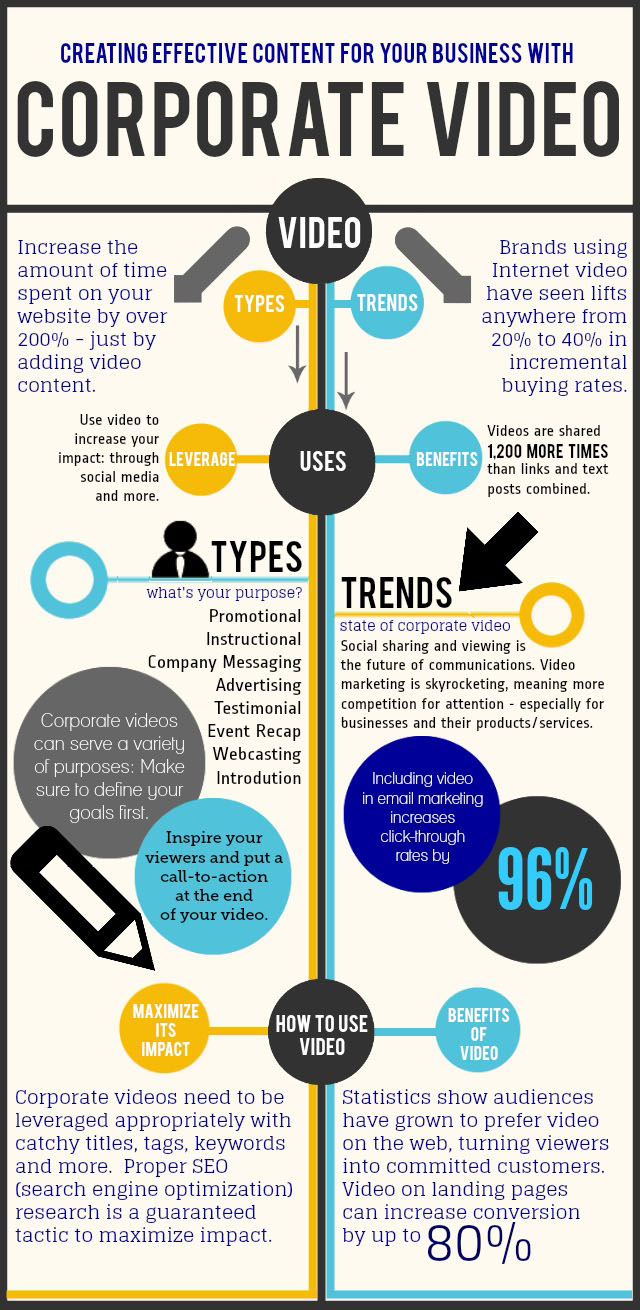
Source: OneProductions, Dublin, Ireland

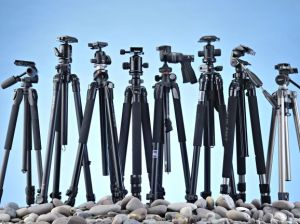
This post is dedicated to people that choose to shoot their own video. On occasion, I have been asked to take on editing assignments where, in order to save cost, a client has provided video footage they’ve captured. Nothing can be more disappointing to any editor than to find hours of footage that is barely usable because of poor camera technique, including pans, tilts, zooms and rack focus, that are caused primarily due to an unstable base from which to shoot. And while I too have watched “Modern Family” and “The Office” which popularized the “mockumentary” style of cinematography, with “whip pans” and “snap zooms,” I would argue that stable videos with smooth movements are far less jarring to the eyes. For the do-it-yourselfer, there is a simple solution: a sturdy tripod!
Tripods have been around since cameras were the weight of a Volkswagen—and almost as big, and you needed a very strong platform to support them. Now, cameras are super small and we’ve all seen them integrated into today’s smartphones and even watches. Are tripods going the way of the dodo as a result? No!
Think about this: Say you’re watching your son or daughter singing in the school choir and you’re in your seat 50 rows away from the stage trying to capture the proud moment when your child steps forward for a solo. You’ve got your Galaxy or iPhone zoomed all the way out and now your body starts to shake from fatigue in the hands and arms. You get home to see what you captured, only to discover a blurry mess because you weren’t able to keep the device steady. Bummer!! And don’t be fooled by the claims of the device’s manufacturer about “image stabilization.” At high zoom settings, any body movement will be amplified, so give yourself the best chance of getting the shot right, and use a tripod.
Tripods come in many shapes, sizes and price points, but to not use one is to invite disappointment. At the very least, get one with strong legs and a “fluid head” so that camera movement is as smooth as possible. Also make sure the tripod’s head can lock. Nothing will cause more panic than being 10 feet away from your camera when it topples over because the head wasn’t locked and the whole rig became unbalanced. The good news is that tripods can accommodate most any camera made today, including the aforementioned smartphones and watches.
The takeaway: Make the investment in a good tripod…your videos will be much better because of it!

Proud to be a member of this prestigious organization
 First Impressions Video